An AI assistant answers a customer's question with a wrong number. The engineer opens the prompt and adds a line: "Always use the exact figure from the document." The next wrong answer arrives a day later.
This happens because the prompt was never the problem. Half the time an assistant is wrong, the model never saw the figure at all. The fix is upstream, and you will not find it by reading the instructions.
How an assistant finds an answer
Most assistants that answer from your documents work in two steps.
First, retrieval. The assistant searches your documents for the passages most likely to hold the answer and hands those passages to the model. Second, generation. The model writes an answer from the passages it was handed.
The model only sees what retrieval gives it. If the right passage was not retrieved, the model has nothing to work from, and it does what models do with a gap: it writes something plausible from whatever it was given.
That is a retrieval failure. From the outside it looks identical to a model failure. The answer is fluent, confident and wrong.
The failure nobody expects: the figures are pictures
Retrieval works on text. It reads the words in a document, breaks them into passages, and matches them against the question.
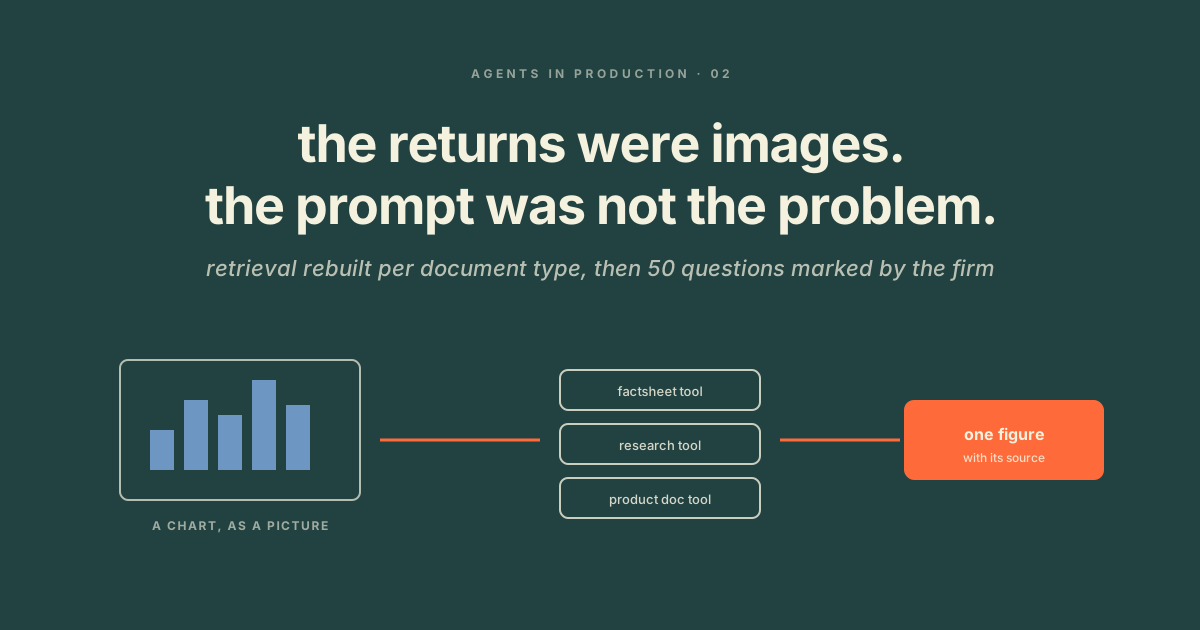
Much of the data in a business document is not words. A year of fund returns is a table rendered as an image. An asset allocation is a pie chart. A price list is a scanned page. To retrieval, all of that is blank. The search returns the caption, the heading, whatever words sit near the picture, and the model answers from those.
No instruction can fix this. You can tell the model to use the exact figure. It cannot use a figure it was never handed.
How to tell which failure you have
Before you change a word of the prompt, do this with ten wrong answers.
- For each one, write down where the correct figure should have come from. Which document, which page.
- Open that document. Is the figure there as text, or as a picture?
- Look at what retrieval actually handed the model for that question. Was the right passage in it?
If the figure is text and it was retrieved, you have a model or prompt problem. If it is a picture, or it was never retrieved, you have a retrieval problem. Ten answers is usually enough to see which one dominates, and it is almost never the one the team assumed.
The fix: retrieval built per document type
One search across everything treats a factsheet, a research note and a product document as the same kind of thing. They are not. Each holds its data differently.
So we split retrieval into separate, purpose built tools, one per document type. A factsheet tool reads the performance table as a table. A research tool reads prose. A product document tool reads the terms. The assistant pulls a figure from a source that actually contains it, in the form that source uses.
Two rules go with it. Every figure carries a link back to the document it came from. And the assistant is told what it may not do: no advice, no forecasts, only data and explanation.
A worked example: a funds management firm
India Avenue Investment Management runs three funds out of Sydney and Mumbai, under an Australian financial services licence. Its investors are advisers, family offices and people with their own savings in the funds. A wrong return in an answer, or a stray forecast in an inbox, can mislead an investor and put the licence at risk.
They asked for an assistant that sounded like the firm, was right, and said plainly when it was not. The first version answered from roughly 200 documents with standard retrieval and a careful prompt, and its accuracy on performance figures was poor.
We read the failures. The returns were images of tables. Retrieval could not see them, and the model was answering from the words nearby. Not one prompt change would have helped.
We rebuilt retrieval per document type and split the corpus into purpose built tools. Then the firm sent 50 real visitor questions and marked every answer right or wrong, with the reason. We tuned against those marks and ran them again.
Those 50 marked questions are now the suite every change must pass. It is why the firm can take a newer model the week it lands and still show the answers did not change. The full engagement is in the India Avenue case study.
What we left out on purpose
The brief had the assistant emailing documents on request. The portal that holds them opens no interface to outside software. A half connected version would have looked like a feature and behaved like a dead end. It stayed out of version one, with the reason written down.
What this does not solve
Retrieval built per document type answers the documents you have. A new document type needs a new tool, and a factsheet whose layout changes can break the tool that read it. That is what the marked questions are for. They catch it before a customer does.
What to do this week
- Read ten wrong answers before changing the prompt. For each, write down where the figure should have come from.
- Open those documents and check whether the figure is text or a picture.
- Look at what retrieval handed the model. If the right passage is not there, the prompt is not your problem.
- Split retrieval by document type, one tool per type, built for how that type holds its data.
- Have a real user mark 50 real questions, with a reason for each mark, and keep that set.
The bottom line
A wrong answer is a symptom with two possible causes, and they need opposite fixes. Look at what reached the model before you look at the prompt. If the figures are pictures, rebuild retrieval per document type, and let the people who know the answers mark the results.


